
Loyalty Program Integration: How to Connect Your Rewards Program to Email and SMS Flows

Most "loyalty integrations" are just a data sync — points balance and tier land in a Klaviyo profile property, and nothing ever triggers off them. That's the gap costing you revenue. Connecting Yotpo, Smile.io, or LoyaltyLion to Klaviyo takes a few minutes. Building the flows that actually use that data once it arrives is the part almost nobody finishes.
This isn't a walkthrough of how to click "connect" on an integration. It's the part after that: the exact event and property structure your loyalty data needs, the trigger-split logic by tier and points balance, and three flow blueprints — points expiry, tier upgrade, redemption reminder — that your loyalty platform's help docs never cover.
Last updated: October 2026
What Does It Actually Mean to Integrate a Loyalty Program With Klaviyo?
Integrating a loyalty program with Klaviyo means two separate things: syncing loyalty data like points balance, tier, and redemption status into Klaviyo as properties and events, and then building flows that actually trigger off that data. Most brands only do the first part, which is why loyalty rarely shows up as real revenue.
Klaviyo is an email and SMS marketing automation platform that ecommerce brands use to send personalized, behavior-triggered campaigns and flows.
Yotpo is a loyalty and rewards platform that lets ecommerce brands run points programs, VIP tiers, and referral incentives natively on their store. Yotpo Loyalty, Smile.io, and LoyaltyLion all offer native Klaviyo integrations that push loyalty data into your account automatically. The setup is quick: connect an API key, map a handful of fields, and loyalty data starts appearing on customer profiles. That's the sync. It's necessary, but it's also where most teams stop, treating the connection as the finish line instead of the starting point.
The integration only becomes valuable once that data is wired into trigger logic — flows that fire when points cross a threshold, a customer moves up a tier, or a redemption window is about to close. If you haven't already confirmed your Klaviyo and Shopify data sync is capturing base purchase events cleanly, that's the prerequisite this entire integration sits on top of. And if your team hasn't built flows in Klaviyo before, the full Klaviyo flow setup process is worth reading before you layer loyalty-specific logic on top of it.
Custom Events vs. Custom Properties: The Difference That Determines Whether You Can Trigger a Flow
Klaviyo custom properties store a single current value on a profile, like current points balance or current tier, and you can segment on them but can't trigger a flow the moment they change. Custom events fire in real time and are the only data type that can start a flow automatically.
Custom properties is a field on a Klaviyo profile that holds a single current value until something overwrites it — current points balance, current tier, points-expiry date. Custom events is a timestamped record of something that happened, and it's the only data type in Klaviyo that can trigger a flow the instant it arrives. Confusing the two is the most common reason a loyalty integration looks "connected" but never actually drives a send.
Loyalty Data: Event or Property?
- Points balance: Property — segment on it ("balance above 500"), but don't expect it to trigger a flow on its own.
- Points earned (the transaction): Event — this is what should fire a flow, since it carries a timestamp and an amount.
- Tier level: Property — stores the current tier for segmentation and personalization.
- Tier changed (upgrade or downgrade): Event — this is the trigger for a tier upgrade sequence, not the static tier property.
- Points expiry date: Property — a date field you build date-based flow logic against.
- Redemption status: Event — "Redeemed Reward" fires when a customer uses points, which is what should pull them out of a redemption reminder flow.
This is the single most common reason loyalty flows never get built: the native integration syncs properties, not events, and properties alone can't start anything. If your loyalty platform's default sync only updates a few fields, you're in the same position as a brand that's never set up tracking custom events Shopify doesn't send by default — the data exists, but nothing in Klaviyo is listening for it. The fix is usually a webhook from the loyalty platform into Klaviyo's events API, configured specifically for points-earned, tier-changed, and redeemed-reward moments. Klaviyo's own Events API documentation lays out exactly how those timestamps and properties need to be structured if your platform's native integration doesn't cover it.
What Data Should Sync From Your Loyalty Platform to Klaviyo?
At minimum, four things need to sync from your loyalty platform to Klaviyo: current points balance, current tier, a points-expiry date if your program expires points, and a points-earned event with a timestamp and amount. Yotpo's native integration covers most of this by default.
Yotpo Loyalty has the most built-out Klaviyo integration of the major platforms. It pushes points balance, VIP tier, and referral status as profile properties, and it can be configured to send points-earned and points-redeemed as trackable events. The gap is usually on the expiry side — Yotpo doesn't natively sync an expiry-date property, so if your program expires points, you'll typically pull that in through a scheduled export or a direct API call rather than relying on the default sync. Yotpo publishes its own Klaviyo integration guide with the exact field mapping for your account type.
Smile.io and LoyaltyLion both sync tier and points data into Klaviyo through their respective integrations, but neither pushes a true points-earned event by default — only the end-of-day balance as a property. If you want a flow to trigger off the moment someone earns points, rather than waiting for the next scheduled profile update, you'll generally need to configure that through their webhook settings or route it through a middleware tool. It's a few extra hours of setup, and it's the difference between a loyalty flow that fires same-day and one that's always a step behind the customer's actual behavior.
The Points Expiry Flow: Trigger Logic and Timing
A points-expiry flow should never be a single email sent to everyone on the same schedule. It needs at least two touches timed against the actual expiry date, split by points value, because a customer about to lose a small balance doesn't need the same urgency as one about to lose a large one.
Points expiry flow is an automated email and SMS sequence triggered by an approaching points-expiration date, built to prompt redemption before the balance disappears.
- Build or source a points-expiry-date property on the customer profile.
- Create a flow triggered by a date-based segment — profiles whose points expiry date is approaching.
- Split the flow by points value: a lower-balance tier gets a single reminder; a higher-balance tier gets a two- or three-touch sequence.
- Send the first touch with enough lead time to act, stating the exact point count and what it's worth in plain terms.
- Send a follow-up closer to the deadline, to the segment that hasn't redeemed, with a direct link to the redemption page.
- Exit the flow immediately if the customer redeems or makes a purchase that resets the clock.
The timing logic here is close to what governs a replenishment flow — Blossom's benchmark data puts replenishment flows, which rely on a similar date-based trigger, between $4 and $10 in revenue per recipient. A points-expiry flow with no segmentation by points value is the loyalty version of sending every replenishment reminder on the same fixed day regardless of what the customer actually bought — it works for some people and misses everyone else's real timeline. If you're already running RFM analysis on your customer base, layer that in too. A high-value RFM segment losing a points balance is a different message than a one-time buyer who redeemed a signup bonus and never returned.
How Do Tier Upgrade Emails Work in a Loyalty Program?
Tier upgrade emails should trigger off a tier-changed event the moment a customer crosses a threshold, not off the static tier property that only tells you where someone sits today. The email itself should read like a status update, not a promotion, with no discount code attached to it.
The event for this already exists in the mapping above — it's the tier-changed event, not the static tier property. The property tells Klaviyo what tier someone is in right now; the event tells Klaviyo the exact moment it changed, and a flow needs the event to fire at all.
Treat the copy like a status-recognition moment rather than a sale. The tone should mirror what we'd use for rewarding your best customers without giving anything away — the upgrade itself is the reward. Stacking a discount code on top of it cheapens the thing the customer just earned, and it trains your highest-tier members to wait for a coupon instead of feeling recognized.
The Redemption Reminder Flow: Closing the Loop on Unused Points
A redemption reminder flow is not the same as a points-expiry flow, even though the two can look identical from a distance. Expiry flows fire off a date on the calendar; redemption reminders fire off a points balance that's been sitting unused for a set stretch of time, regardless of when it expires.
Keep these as two separate flows with two separate entry conditions. A customer who earned a meaningful points balance recently and hasn't redeemed anything is a different problem than a customer whose points are about to expire. Collapsing both into one generic "loyalty update" email is exactly the kind of send that underperforms a split, behavior-triggered sequence — the reader can't tell if the email is urgent or just a reminder, so it reads as noise and gets ignored.
- Dormant balance trigger: points balance above a set threshold with no redemption activity in roughly a month.
- Threshold-crossed trigger: points balance just crossed into reward-eligible territory for the first time.
- Browse-without-redeem trigger: the customer visited the rewards page but didn't redeem, if your platform tracks that event.
Revenue per recipient (RPR) is the average revenue a flow generates per email delivered, and it's the cleanest way to compare a loyalty flow's performance against every other automated send you run.
Flows that trigger off real customer behavior average $1.94 in revenue per recipient compared to $0.11 for standard campaign sends, according to Blossom's benchmark data. A loyalty integration that never triggers a flow is leaving that entire gap on the table.
How Should Loyalty Flows Coordinate With Your Winback and VIP Flows?
Loyalty flows need explicit suppression logic against your winback and VIP flows, or a lapsed customer with an expiring points balance can end up receiving two separate come-back messages within days of each other. Loyalty data should inform those flows, not compete with them for the same inbox moment.
A lapsed customer with expiring points is the textbook overlap case. If your winback flow and your points-expiry flow both have that person in scope at the same time, they could get two unrelated "come back" messages days apart — one about the brand, one about their points. Pick one as the lead message and have the other stand down, or reference it directly.
The cleaner fix is usually to fold the points balance into your winback flow as a data point instead of running two competing sequences. "Your points are expiring soon" is a stronger line inside an existing winback email than a brand-new flow fighting for the same inbox moment. The same logic applies to VIP flows — a VIP who's also mid-sequence in a generic tier-upgrade email is getting a demotion in tone at exactly the wrong time.
Why Don't Most Loyalty Integrations Drive Revenue?
Most loyalty integrations don't drive revenue because the project stops at the data sync. The points balance shows up on the profile, the dashboard says the integration is connected, and nobody goes back to build the flows that would have made the sync worth doing in the first place.
This is diagnosable in about five minutes. Open your Klaviyo flows list and search for anything referencing your loyalty platform. If what comes back is nothing, or a single flow that fires one "welcome to the program" email, the sync is doing a fraction of what it could. The data is already there, sitting in profile properties. Nothing is reading it, because nothing was ever built to.
Build the Flows, Not Just the Sync
Turning a loyalty integration into revenue means mapping points-earned, tier-changed, and redemption events correctly, building the points-expiry, tier-upgrade, and redemption-reminder flows as separate sequences, and coordinating them with your winback and VIP flows so they don't collide. That's the work most brands skip after connecting the sync.
The checklist here isn't complicated: map your loyalty data into the right mix of events and properties, build the points-expiry, tier-upgrade, and redemption-reminder flows as three separate sequences with their own trigger conditions, and make sure none of them collide with your winback or VIP flows. None of that requires a new tool. It requires going back into an integration you probably already paid for and finishing the job.
Start with whichever flow is missing entirely. If there's a points-expiry date sitting unused in a Klaviyo property right now, that's the one email most likely to be costing you redemptions today.
Frequently Asked Questions
The questions below address the specific points of confusion that come up most often when connecting a loyalty platform to Klaviyo, including how the data sync works, what events trigger flows, and how points-expiry and redemption reminders should be structured and timed.
How do I connect my loyalty program to Klaviyo?
Most loyalty platforms — Yotpo, Smile.io, and LoyaltyLion included — offer a native Klaviyo integration you activate with an API key inside their app settings. That connects the data sync. Getting flows to actually trigger off that data is a separate step that requires mapping the right events, not just properties.
Can you automate loyalty points expiry emails?
Yes, by building a date-based flow off a points-expiry property, split by points value so higher-balance customers get more touches than lower-balance ones. A single generic expiry email underperforms a segmented, multi-touch sequence timed against the actual expiry date.
What data does Yotpo send to Klaviyo?
Yotpo's native integration pushes points balance, VIP tier, and referral status as Klaviyo profile properties, and can be configured to send points-earned and points-redeemed as events. It does not natively sync a points-expiry date, which most brands have to pull in separately if their program expires points.
Does Klaviyo integrate with Smile.io or LoyaltyLion?
Yes, both platforms have native Klaviyo integrations that sync tier and points data as profile properties. Neither pushes a true points-earned event by default, so triggering a flow off individual earning activity usually requires configuring their webhook settings or routing through a middleware tool.
How do you remind customers to redeem loyalty points?
Build a dedicated redemption reminder flow triggered by a dormant points balance rather than folding the reminder into your points-expiry flow. The two have different trigger conditions and should run as separate sequences so each message stays specific to the actual situation a customer is in.
Get tactics like this in your inbox every week. Subscribe to our newsletter →
Need help implementing this?
Let us take the hassle of managing your email marketing channel off your hands. Book a strategy call with our team today and see how we can scale your revenue, customer retention, and lifetime value with tailored strategies. Click here to get started.
Curious about how your Klaviyo is performing?
We’ll audit your account for free. Discover hidden opportunities to boost your revenue, and find out what you’re doing right and what could be done better. Click here to claim your free Klaviyo audit.
Want to see how we’ve helped brands just like yours scale?
Check out our case studies and see the impact for yourself. Click here to explore.

Read Our Other Blogs

Klaviyo Predictive Analytics: How to Use CLV, Churn Risk, and Expected Next Order Date to Drive Retention



Email Holdout Testing: How to Prove Your Retention Channel Is Actually Incremental

Klaviyo vs Omnisend: Which ESP Is Right for Your DTC Brand in 2026

Free Gift With Purchase vs Discount: Which Offer Protects Margin and Still Converts

VIP Early Access Campaigns: How to Reward Best Customers Without Giving Anything Away

Gmail and Yahoo Bulk Sender Requirements: The Compliance Checklist Ecommerce Brands Can't Ignore

Spam Complaint Rate: Why 0.3% Is the Cliff Edge and How to Stay Far Below It

Klaviyo Custom Events: How to Track the Ecommerce Behaviors Shopify Doesn't Send by Default

Klaviyo vs Postscript: Choosing Your SMS Platform When You're Already on Klaviyo Email

Repeat Purchase Rate: The Diagnostic Framework for Finding Where Your Second Order Is Breaking Down

Apple Mail Privacy Protection: How to Measure Email Engagement When Opens Are Broken

Back-in-Stock Flow: The Highest-Intent Email Sequence Most Brands Never Build
Klaviyo Predictive Analytics: How to Use CLV, Churn Risk, and Expected Next Order Date to Drive Retention
Email Holdout Testing: How to Prove Your Retention Channel Is Actually Incremental
Klaviyo vs Omnisend: Which ESP Is Right for Your DTC Brand in 2026

Dedicated IP vs Shared IP for Ecommerce Email: When to Switch and When It Backfires

Quiz Funnels for Ecommerce: How to Grow Your List and Segment Subscribers Without Discounts

Klaviyo + Shopify Integration: The Complete Data Sync and Event Tracking Setup Guide

How to Repair Sender Reputation: The Recovery Playbook When Your Emails Land in Spam

Abandoned Cart Flow Strategy: Why Your Recovery Sequence Stops Working After Email One

Ecommerce Email Benchmarks: What Good Actually Looks Like for DTC Brands in 2026

Retention-Focused A/B Testing: What to Test in Email When You've Already Optimized the Basics

Klaviyo Segments vs Lists: How to Structure Your Audience Architecture for Scalable Retention

Email Deliverability for Ecommerce: The Complete Guide to Landing in the Inbox

Klaviyo List Hygiene: How to Clean Your Email List Without Killing Your Revenue

Sunset Flow: How to Win Back Unengaged Subscribers Before You Suppress Them

Welcome Flow Optimization: How to Turn New Subscribers Into First-Time Buyers Faster

Popup Strategy for Ecommerce: How to Grow Your List Without Training Customers to Wait for Discounts

Email Offer Architecture: How to Structure Promotions That Protect Margin and Still Convert

Klaviyo vs Attentive: Which Platform Is Right for Your DTC Stack in 2026

Migrating to Klaviyo: The Step-by-Step Playbook for Switching ESPs Without Losing Revenue

Browse Abandonment Flow: The Underbuilt Sequence Quietly Leaking Revenue

Post-Purchase SMS Flow: How to Use Text Messages to Build Loyalty After the First Order

Retention Marketing Dashboard: The Exact Metrics and Reports You Should Be Reviewing Weekly

Agency vs In-House Email Marketing: What Actually Moves the Needle for DTC Brands

SMS Marketing Strategy for Ecommerce: The Complete Guide

How to Set Up Klaviyo Flows: Complete Setup Guide

A/B Testing for Email: What to Test, How to Measure, When to Ship

Email Marketing KPIs: The Only Metrics That Matter for DTC

Email Revenue Attribution: What Klaviyo Gets Right and Wrong

Popup Strategy for Ecommerce: 6 Types That Actually Convert

RFM Analysis for Ecommerce: Segment Your Customers by Value

Email Segmentation for Ecommerce: The 5-Layer Model for DTC Brands

Welcome Offer Optimization: Converting Subscribers Without Deep Discounts

Email Warmup Strategy: How to Build Sender Reputation From Scratch

Email List Hygiene: How to Clean Your List Without Killing Revenue

SPF, DKIM, and DMARC: Email Authentication Explained for DTC Brands

The Complete Retention Marketing Strategy Guide (2026)

Winback Flow: How to Re-Engage Lapsed Customers Before You Lose Them

How to Audit Your Email Flows (The 125-Point Checklist)

Post-Purchase Email Flow: The Architecture That Drives Repeat Buyers

Sunset Flow: When and How to Remove Unengaged Subscribers

Cart Abandonment Flow: How to Recover Revenue Without Discounting

How to Build a Welcome Flow That Actually Converts

How to Build an Email Campaign Calendar Without Discounting

Browse Abandonment Flow: Converting Window Shoppers Into Buyers

The Abandoned Cart Email Strategy That Actually Recovers Revenue

How to Build a Welcome Flow That Actually Converts

Personalizing Push Notifications for Better Retention Outcomes
How to Craft Email Newsletters That Build Real Brand Loyalty
Top 3 Best eCommerce Content Management Systems of 2025
Email Marketing vs. Social Media: Which One Should Your Brand Focus On?
Attract More Customers: Which Videos to Use in Your Email Marketing and Why
8 eCommerce Customer Service Mistakes You NEED to Stop Making (Like, Yesterday)
Creating The Perfect E-Commerce Tech Stack

Types of Content eCommerce Brands Need in Their Marketing Mix
Ecommerce Email Mistakes: Blossom Ecom Article on How to Stop Sending Bad Emails & Start Making More Money
Boost Your Bottom Line: The Ultimate Guide to Integrating Website and Email Strategies for Your eCommerce Business
6 Powerful Ecommerce Loyalty Program Examples (and How to Build Your Own)
Loyalty-First Guide to Customer Reactivation Email Campaigns
Using Email Marketing to Supercharge Your Loyalty Program
Unpacking Brand and Conversion in E-Commerce Design
13 Scary E-Commerce Mistakes (and How to Avoid Them)
How to Reduce Your E-Commerce Bounce Rate and Boost Engagement
Combining Content and Commerce for E-Commerce Success
Email Marketing Tips + Trends

E-Commerce Returns Analysis & Crafting a Profitable Returns Policy

9 Pro Tips for A/B Testing Emails with HubSpot
AI and Email Marketing: The Future is Here
How to Skyrocket Your Email Open Rates and Click-Through Rates
Email Isn’t Dead: 4 Reasons It’s Still a Digital Marketing Powerhouse

Email Marketing Series – #3: Building a Strong Email List
Email Marketing Series – #4: 9 Tips for Creating High-Impact Email CTAs

Email Marketing Series – #2: How to Craft Attention-Grabbing Subject Lines
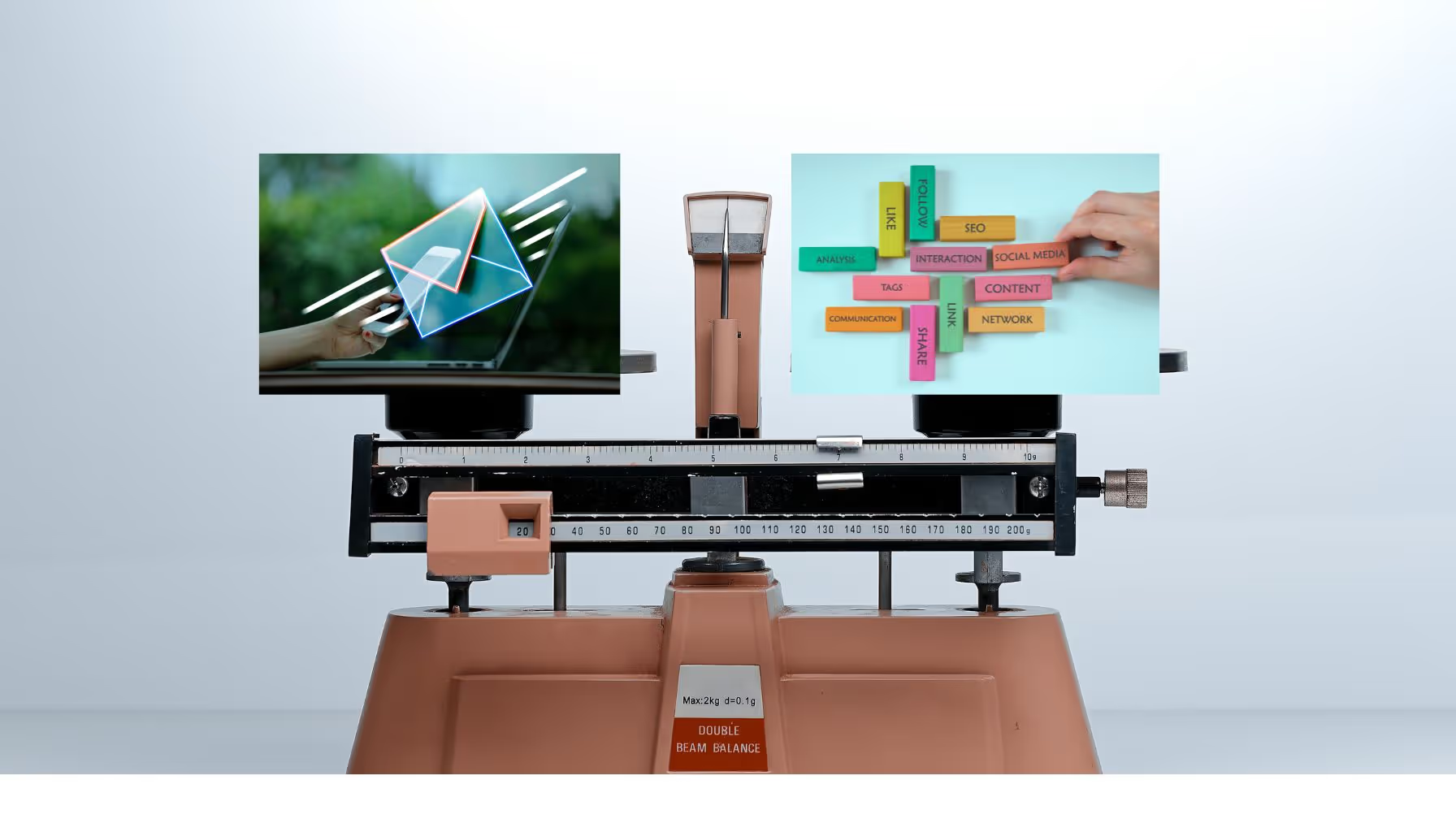
Email Marketing vs. Social Media Marketing — Which Should I Use?
Email Marketing Series – #1: Crafting an Effective Email Marketing Strategy
Email Open Rate: A Practical Guide
3 Effective Strategies to Make Email Your Marketing Heavyweight Champion

How to Attract New Leads with Video in Your Email Marketing
How to Determine the Profitability of Your eCommerce Website
Multi-Channel eCommerce: The Key to Growing Your Online Business
Understanding eCommerce Conversion Rate & Optimization
How to Optimize Your eCommerce Website for More Conversions
Top 3 eCommerce and Digital Marketing Trends for 2025

Optimizing Your Email Marketing Strategy: A/B Testing Explained
35 Eye-Opening Email Marketing Stats You Need to Know
7 Email Marketing Tips to Boost Your SEO
11 Common Email Marketing Mistakes That Are Tanking Your Conversions (And How to Fix Them)
Strategic SEO Tips for Email Marketing: Boost Engagement and ROI
How to Measure and Increase Email Marketing ROI (Plus Templates That Convert!)

Do Lifecycle Email Campaigns Really Drive Conversions? Here’s What We Found
How to Use Remailing in Your Email Marketing Strategy

B2B Email Marketing: Building Relationships and Converting Leads


Not Sure Where to Start?
Let's find the biggest retention opportunities in your business. Get a free Klaviyo audit or retention consultation.